FlightBook
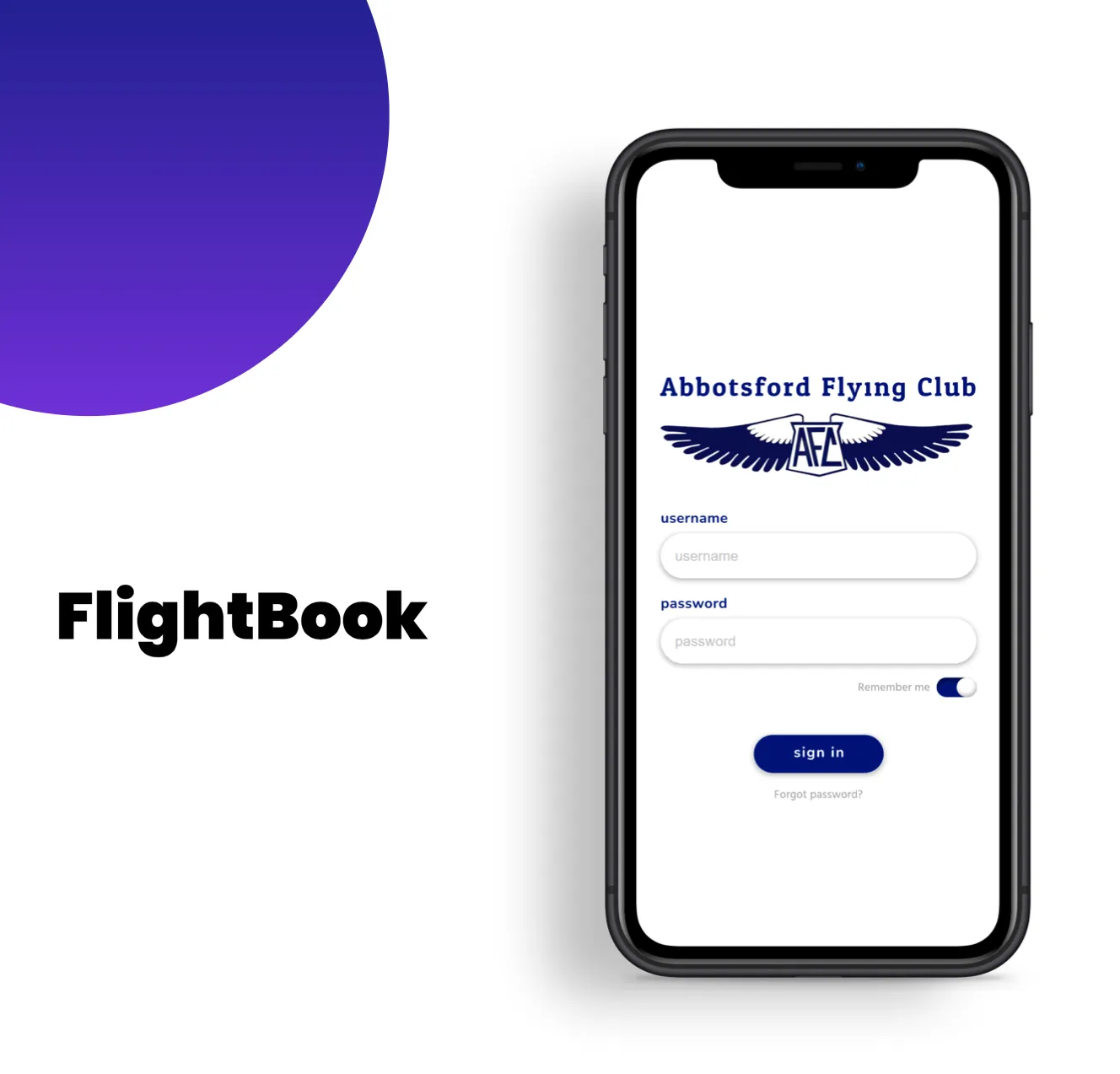
A course project redesigning how Abbotsford Flying Club's members log flights and connect with each other, built from two separate concepts that research led the team to combine into one platform.
Context
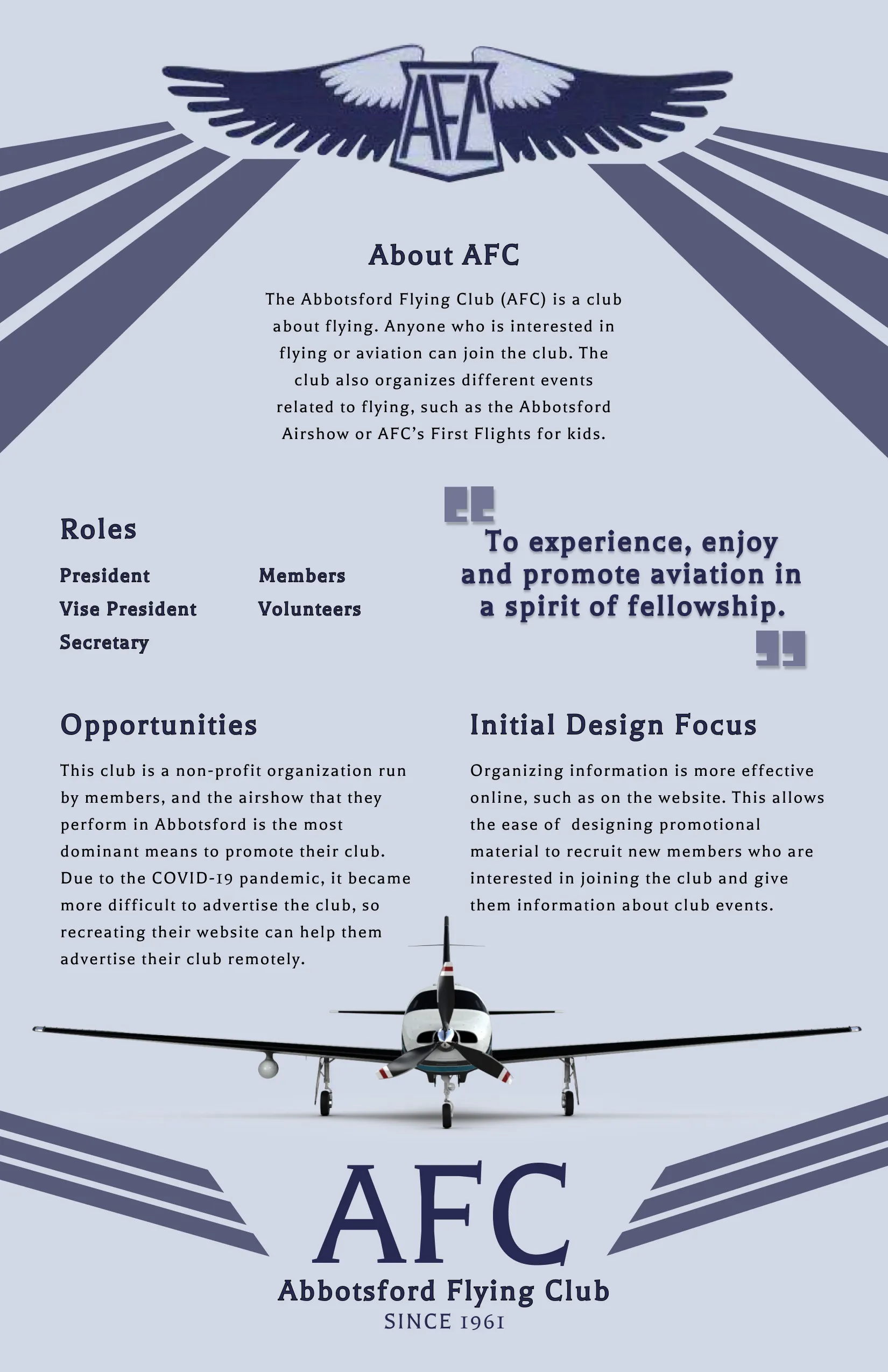
AFC faced outdated information-recording practices, and newer, younger members struggled to keep up physical records. Beyond basic email, the club had limited electronic engagement, which meant weaker community interaction overall.
Research
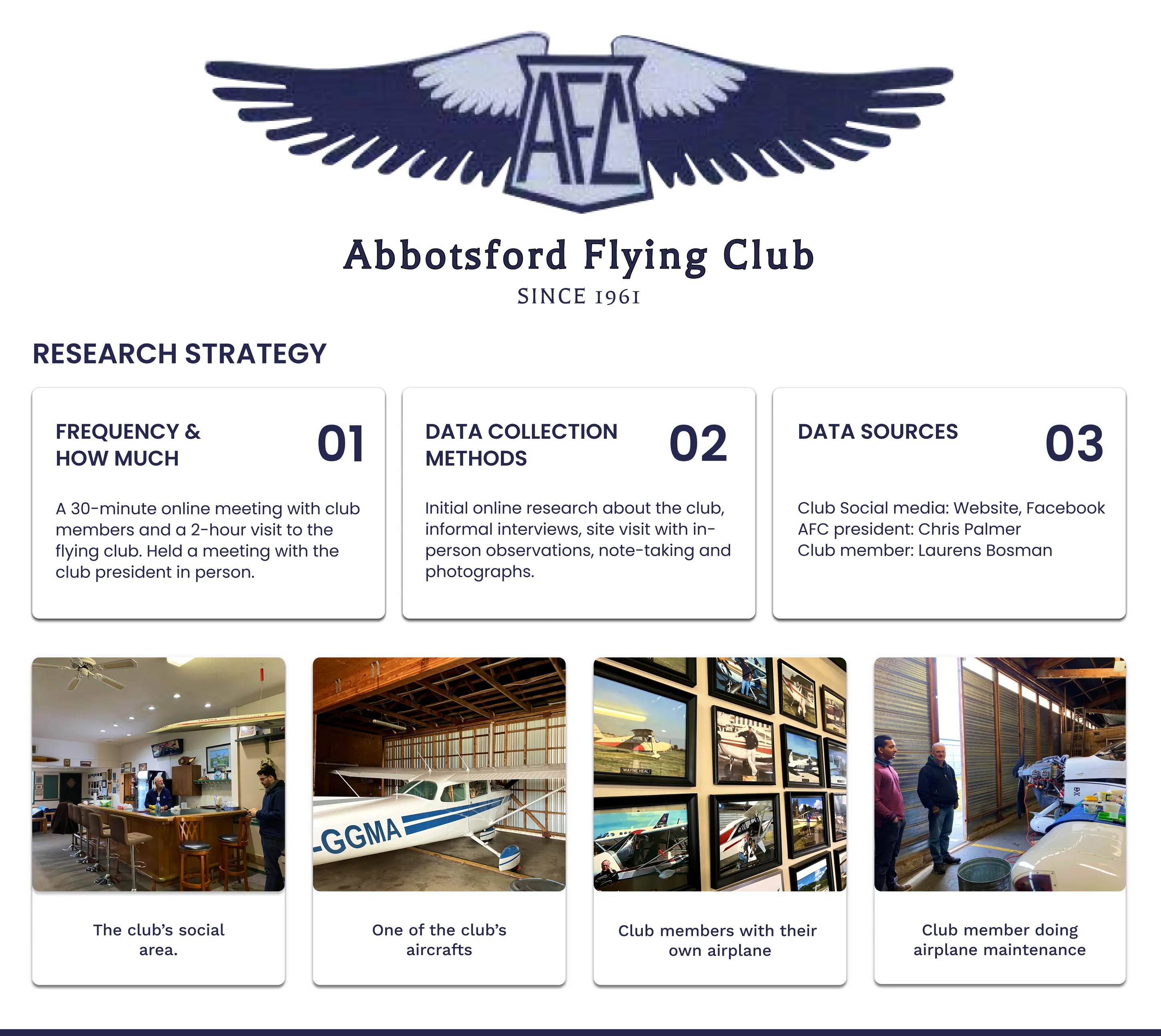
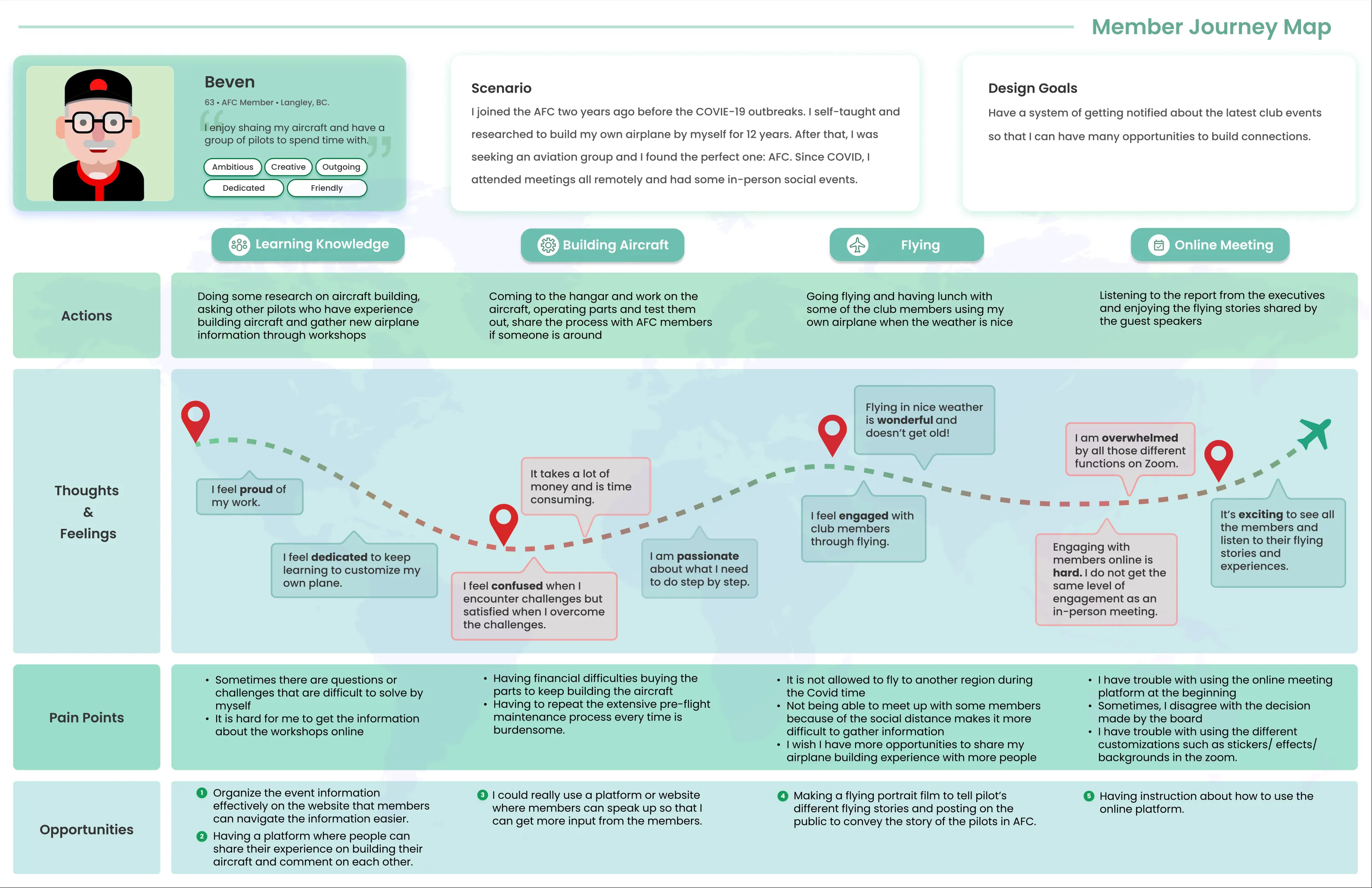
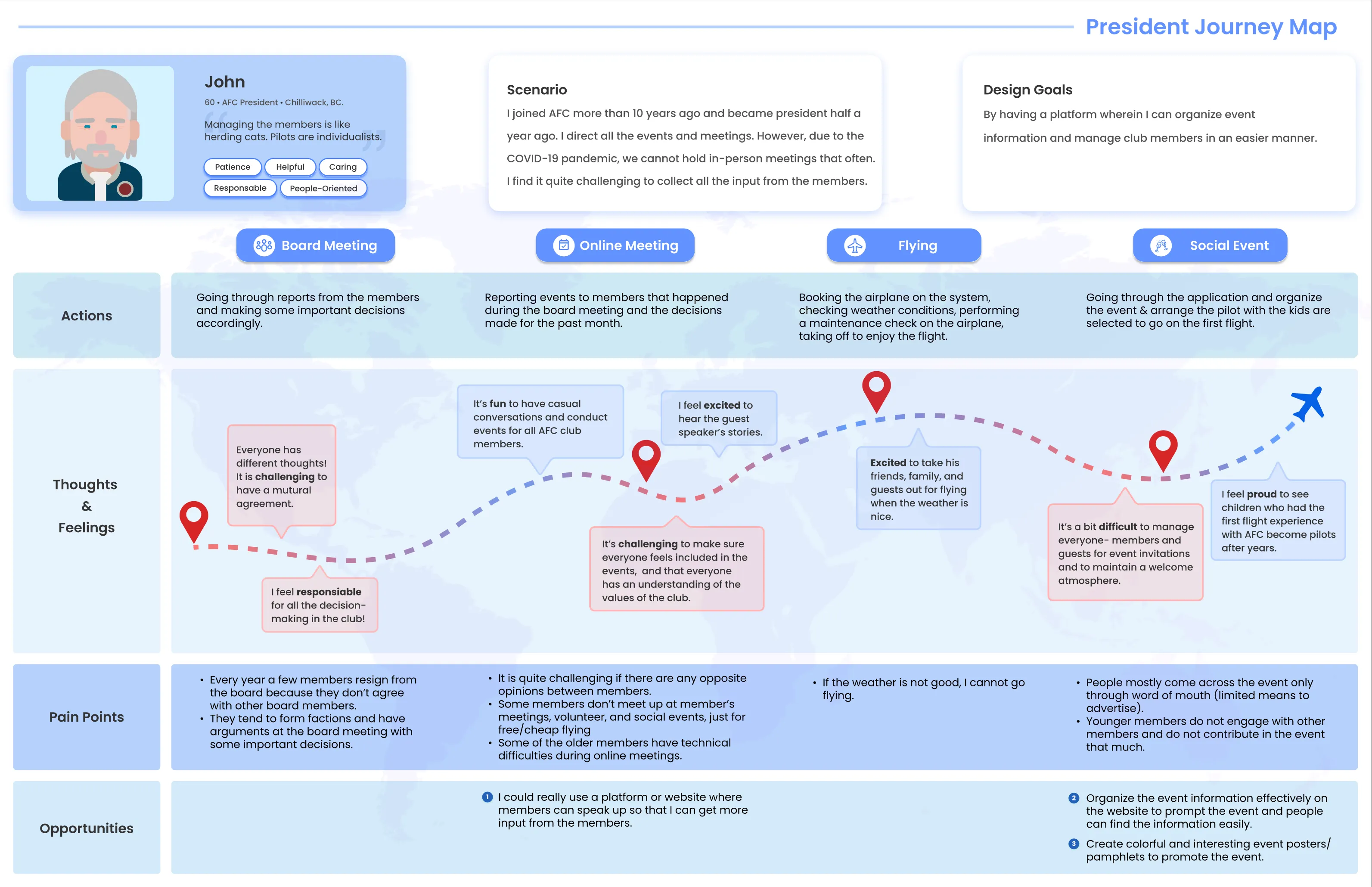
To understand who the redesign was really for, the team built two personas from that research: an AFC member and the club’s own president, two very different relationships to the same club. Both are synthesized composites, not portraits of specific people. Chris Palmer (AFC president) and Laurens Bosman (club member) were the real contacts who informed the research; the personas aren’t drawn from them individually, and neither of them was on the project team.
Understanding
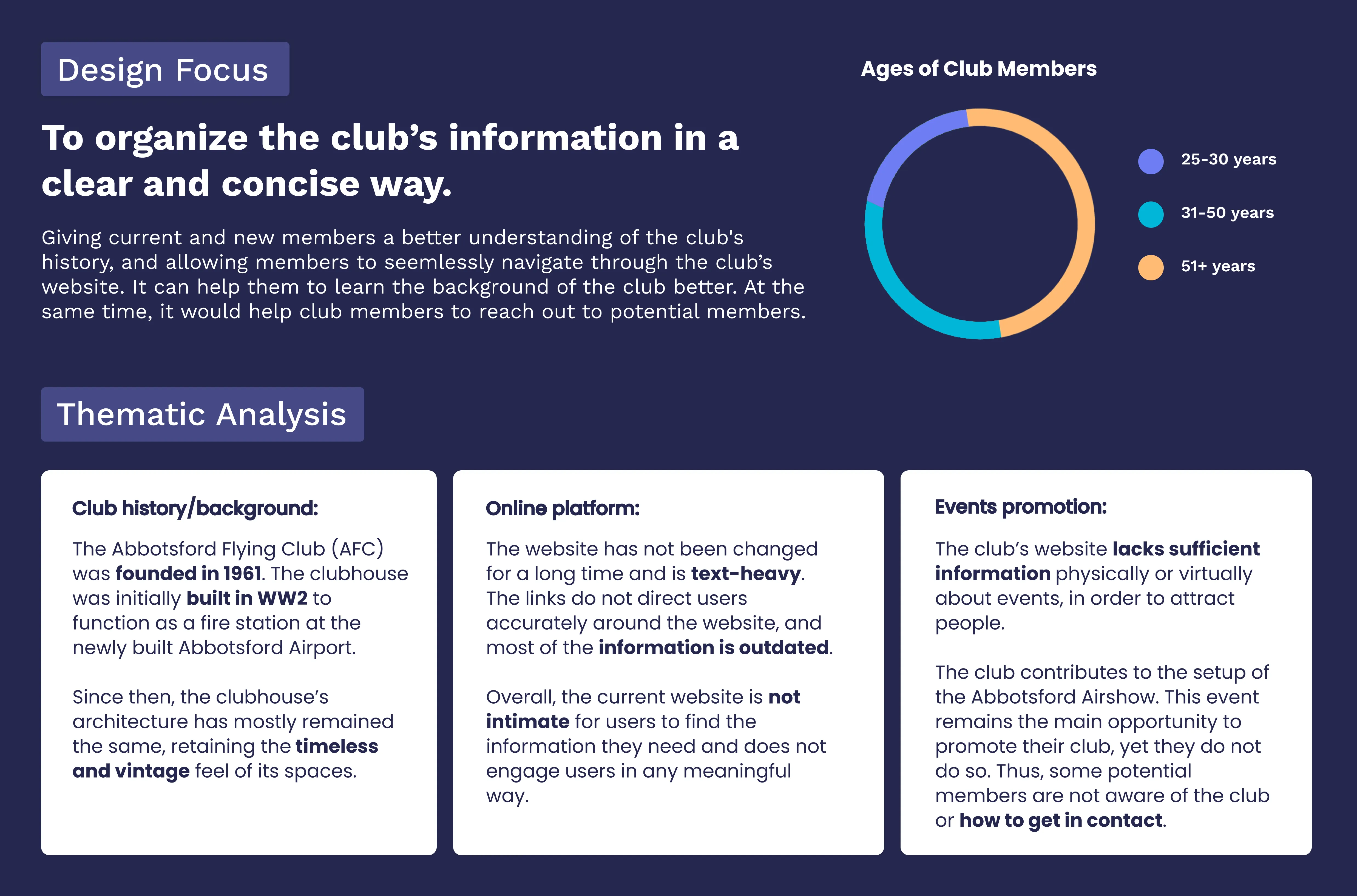
AFC was founded in 1961; its clubhouse was originally built during WW2 as a fire station at the newly-built Abbotsford Airport. The club’s website hadn’t been meaningfully updated in a long time: text-heavy, with outdated information and links that didn’t reliably take members where they needed to go. Event promotion was similarly limited: the Abbotsford Airshow remained the club’s biggest opportunity to reach new members, but the website did little to support it. The team’s research also found that club membership skewed toward older age brackets, with the youngest bracket a clear minority.
The research pointed at something more specific than “the site needs to look better”: membership skewed older, and the site’s text-heavy, link-heavy structure wasn’t built for how a younger member would actually want to find information or stay in touch with the club. (That framing is my own synthesis of the research below, not a quoted finding.)
My role on this team project
- Created the journey maps and storyboards
- Produced the participant group research posters
- Built the interactive app flows
- Produced the final promotional video
Exploration
Our initial ideation focused on separating the two core functions: flight logging and community engagement.
Explored separately
Social Media for Aviation
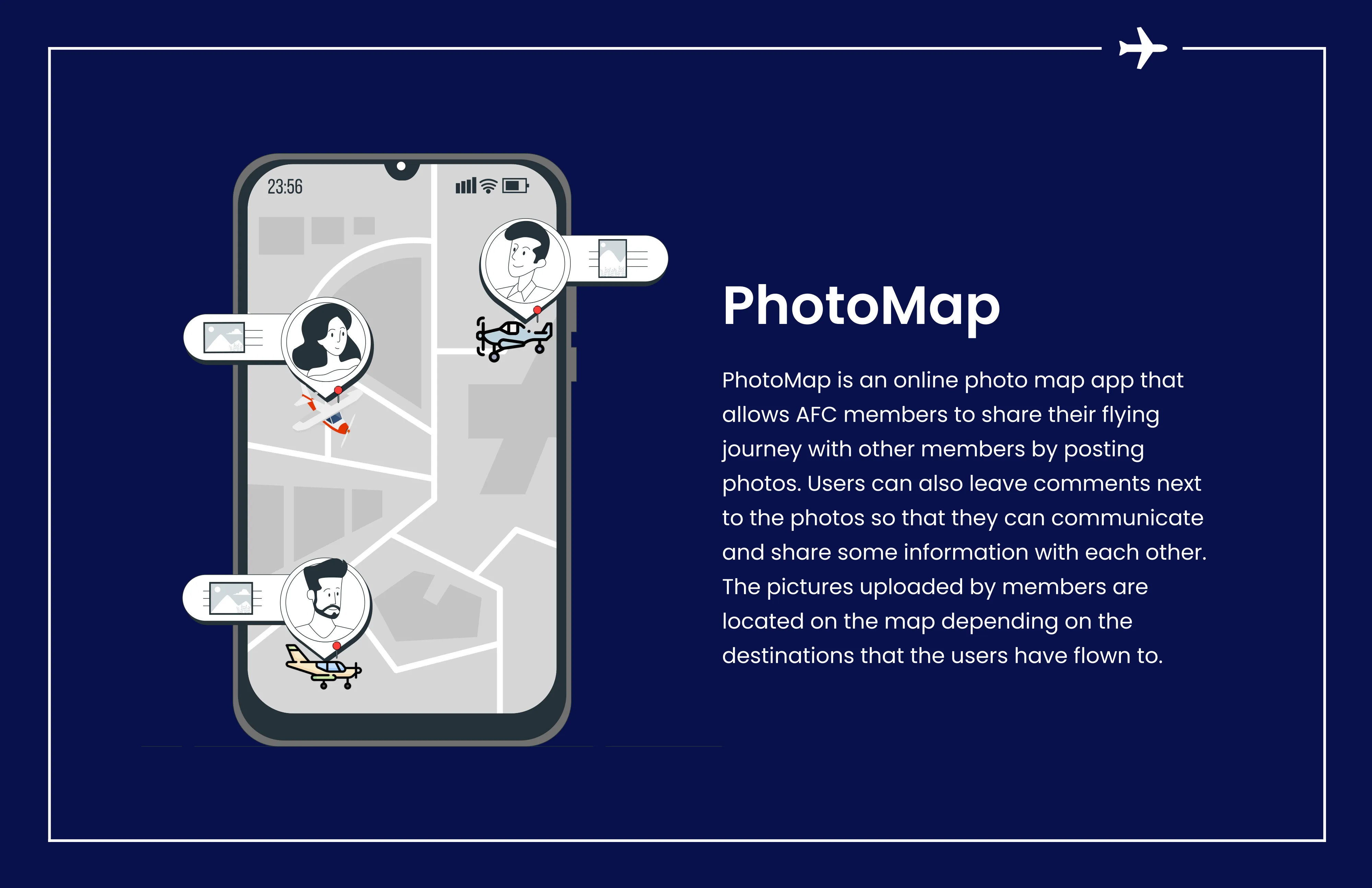
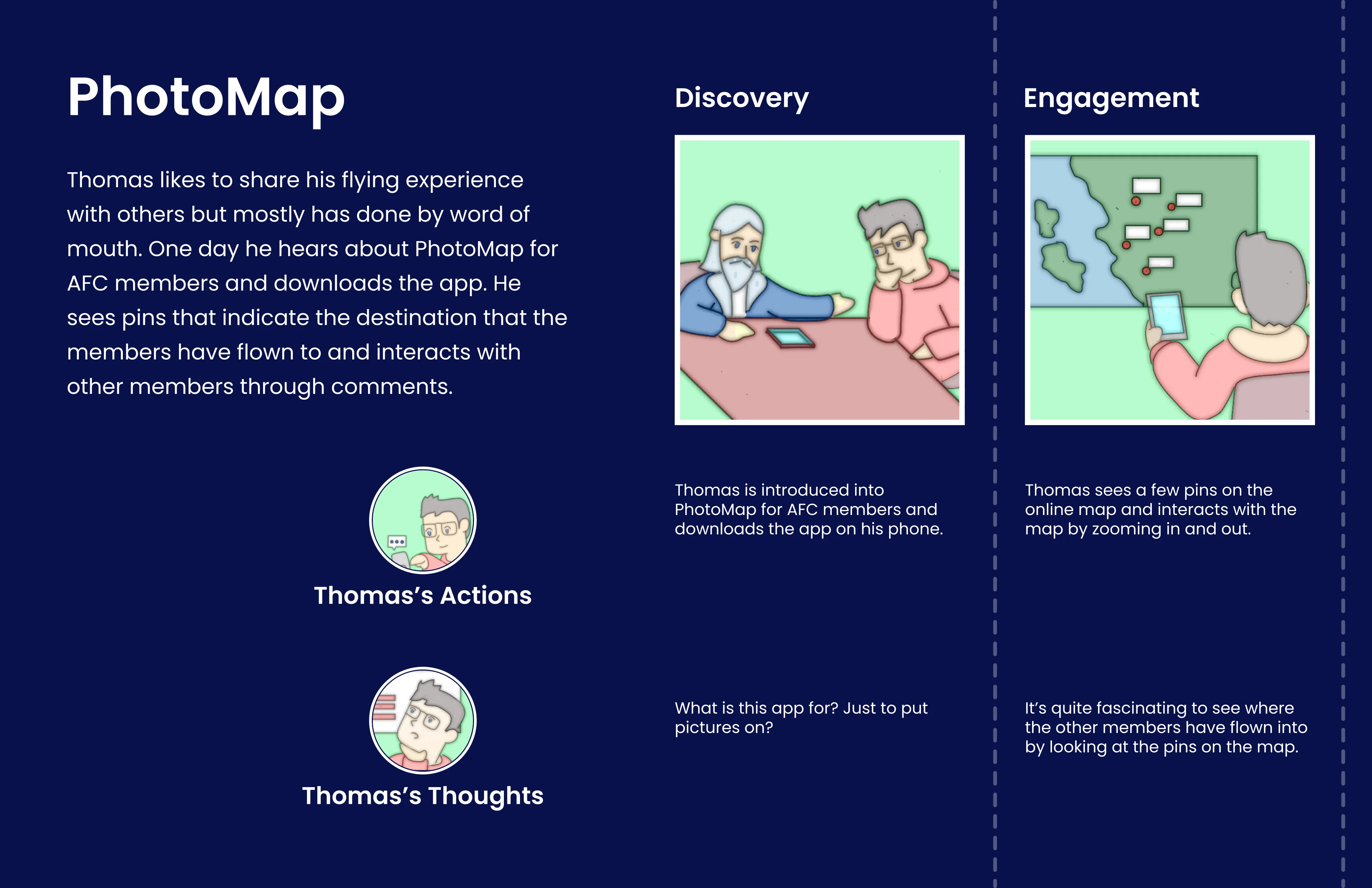
An interactive photo-map where members could share images of their journeys, post stories, and comment on each other's experiences.
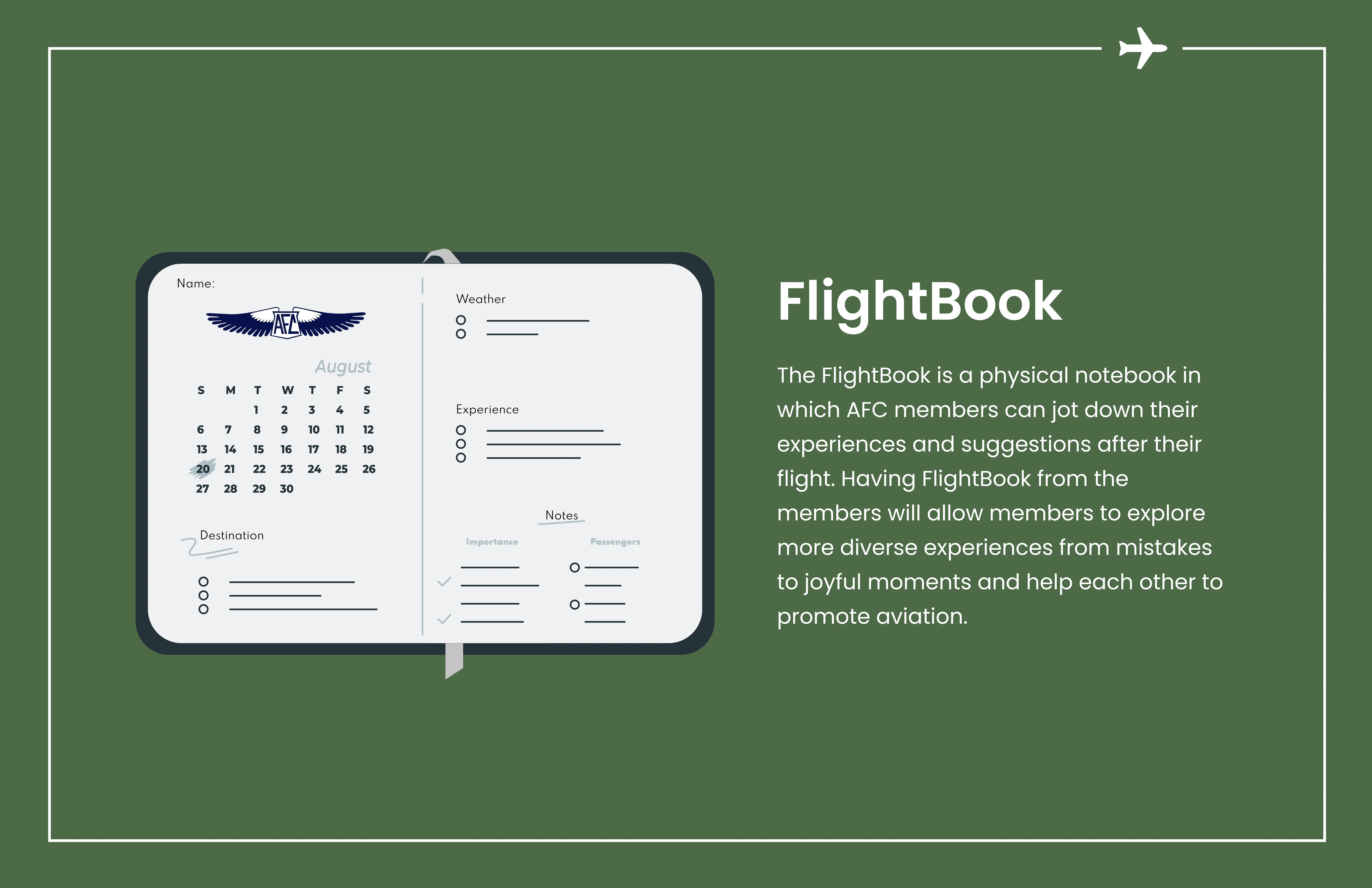
FlightBook
Originally explored as a physical notebook kept in the clubhouse, where members could write down their flight experiences and suggestions by hand.
Combined
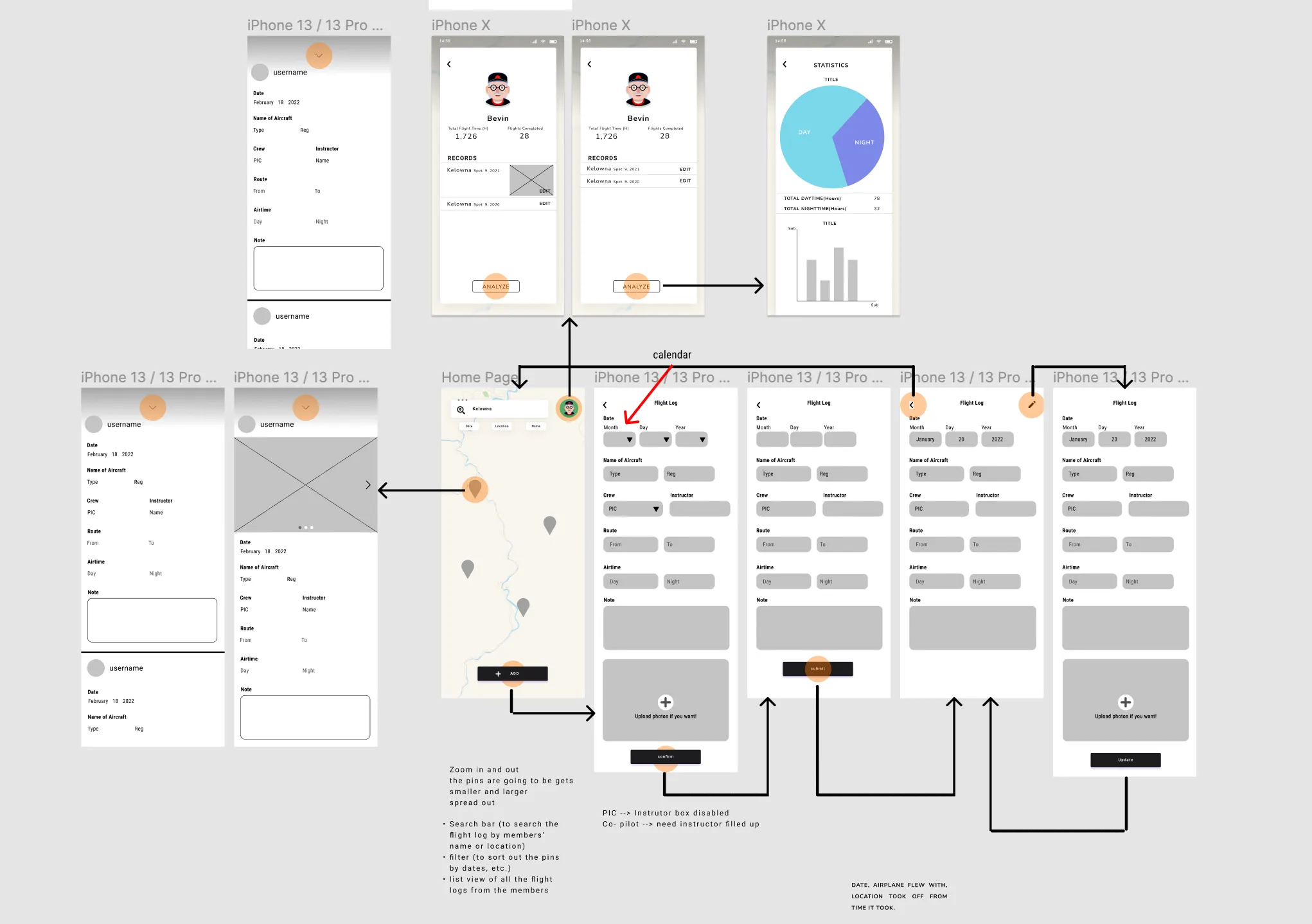
Testing both concepts made the overlap hard to ignore: logging a flight and wanting to feel connected to the club turned out to be the same member’s two problems, not two different members’ separate ones. One app that did both made more sense than two apps that each did half. The FlightBook name carried over into the combined product; the physical-notebook concept itself did not.
Key features
What shipped was one platform doing what the two separate concepts couldn’t on their own: quick, structured flight logging, plus an actual reason to open the app between flights.
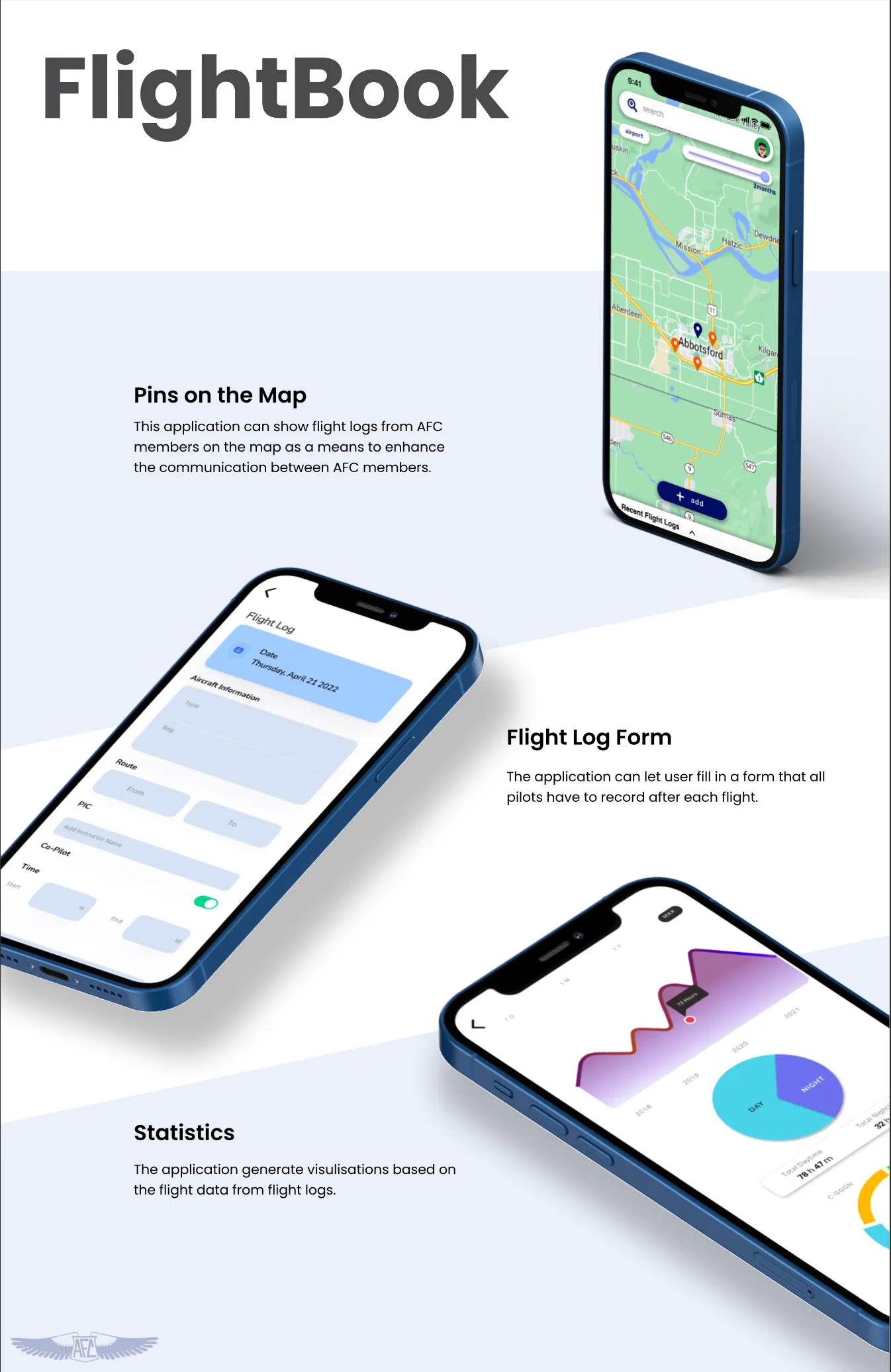
Digital Flight Logbook
Allows pilots to enter flight details quickly and accurately using aviation-compliant fields.
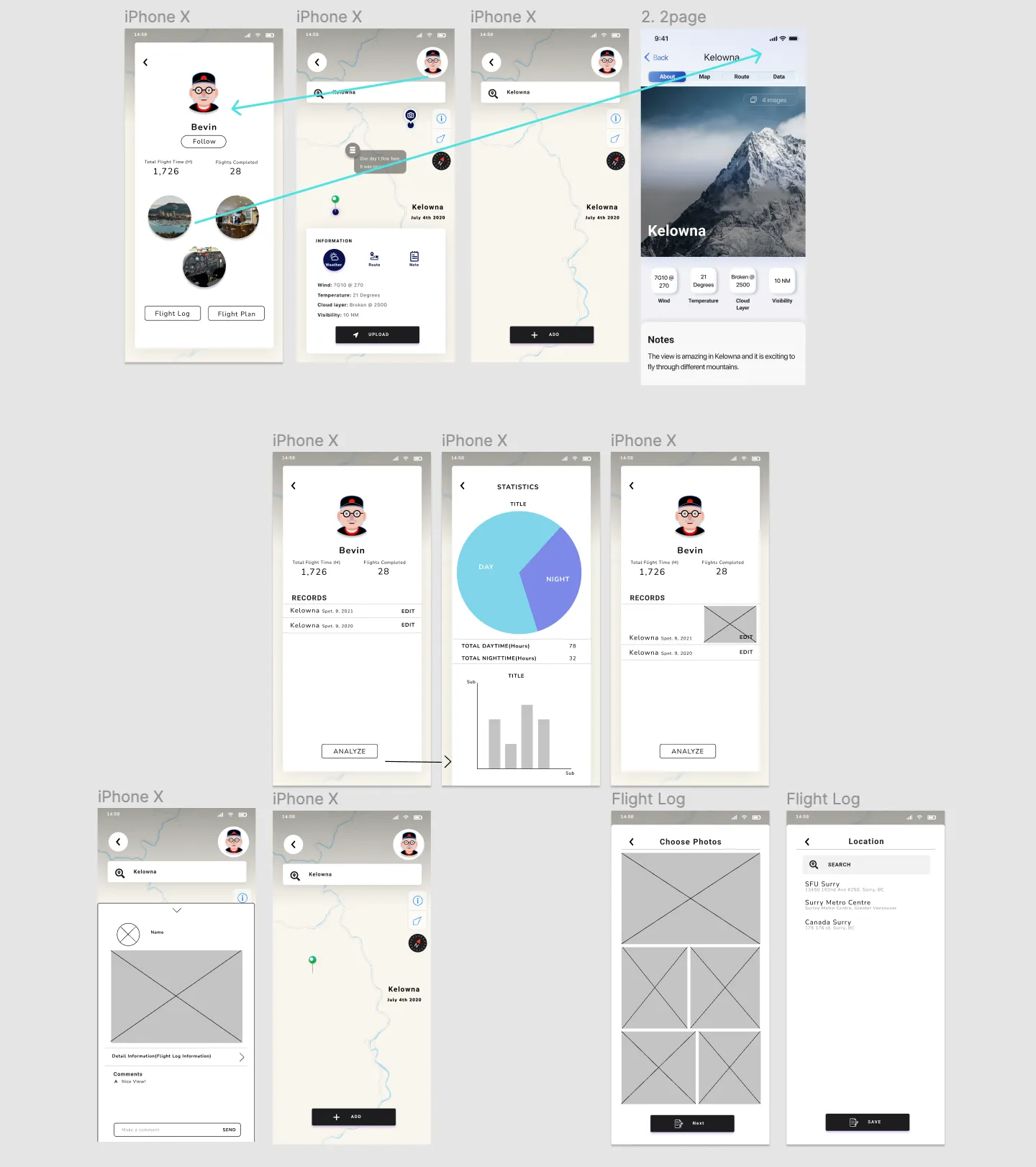
Photo Map Journal
Members can upload images of their flights, geotag locations on an interactive map, and share stories or comments, shown as “Pins on the Map” above.
Community Feed
Pilots can comment on flight logs, fostering deeper interaction and shared storytelling among members.
No interface was mocked up for this feature, described here from the project plan, not shown as a screen.
Prototype
Everything above is the paper trail: how the two concepts got explored, compared, and combined. None of that is the actual interaction, though. That only exists in the interactive ProtoPie prototype itself: tap through it to see the map, the flight-log form, and the profile and statistics screens connect the way they’re described above.
Reflection
The clearest lesson from this project was in the pivot itself, not in the phrase “user research process.” I went in assuming flight logging and community-building were two separate problems that needed two separate apps. It took building both concepts out far enough to actually compare them before it was obvious AFC’s members wanted both from the same place, and that splitting them was solving half a problem twice instead of one problem well. Combining them into FlightBook is still the specific decision I’d point to if asked what this project taught me. Working in ProtoPie alongside Figma mattered for a more practical reason: it’s the difference between showing someone a flow and letting them actually click through one.